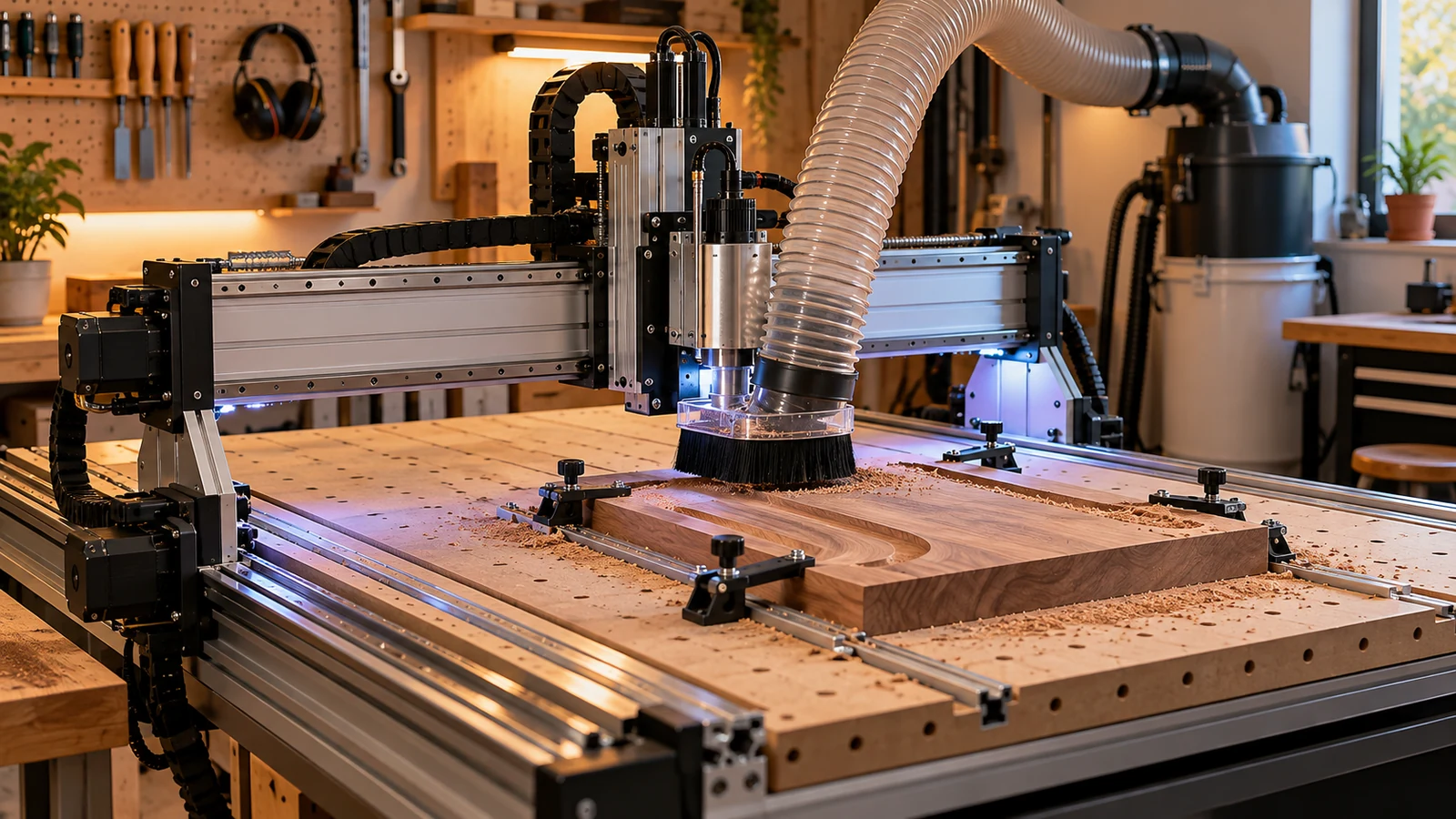
Before you buy a desktop CNC as a gift, confirm five things: the person wants one, there is bench space and a suitable outlet, a computer can run it, dust has a plan, and the seller accepts returns. A machine is a system, not a present you can wrap and forget, and missing any of those turns it into a stalled project.
The person, the bench and the outlet
1. Do they want one?
This sounds obvious, but it is the most common failure. Someone who has watched videos for months and keeps asking about it is a good candidate. Someone who mentioned it once is not. If you cannot tell, give a gift card toward a machine or a starter accessory pack instead, and let them choose. Our gift list for router owners shows what to buy once they have one.
2. Space and bench
Measure the machine's footprint from the maker's spec sheet, then measure the bench, including room to open lids, move the gantry and reach the power switch. A desktop machine still needs a solid, level, stable surface. Our stand and table guide covers what makes a base worth buying, and the footprint planning page shows how to measure.
Noise and chips are part of space too. An enclosure can contain both; see our enclosure guide. A spare bedroom or apartment is a different problem from a garage.
3. Power
Check voltage and plug type on the maker's page. Carbide 3D's documentation says its Shapeoko and Nomad machines use switching power supplies that accept 110V or 220V without changes and ship with a grounded North American cord, but that a spindle or router needs its own power supply with requirements listed in that product's documentation. Other makers differ, so read the specific machine's manual and check the outlet it will use. Any rewiring or new circuit belongs with a licensed electrician.
The computer, the software and the dust
4. Computer and software
Most desktop CNC machines need a computer connected the whole time they run. Carbide 3D states a computer is required for every one of its machines and lists Windows 10 or 11, 8GB of RAM and a minimum 1280 x 1024 display as an example. It also notes an old dedicated computer or an inexpensive tablet can work, so the person's main computer does not need to live in the shop. Look up the equivalent requirements for the machine you are considering.
Software is the steeper climb. Someone has to draw or import designs, assign toolpaths and generate G-code. If the recipient has never done it, include a learning plan. Our G-code basics page is a free place to start.
Eye protection, hearing protection and a dust plan belong with the machine, not after it.
5. Dust and chips
Carbide 3D states that dust collection is required to keep dust out of the mechanical parts, that a shop vacuum with a 2.5 inch hose connector is not included with its machines, and that a grounded hose is often necessary in low-humidity environments. Expect a similar story elsewhere: the vacuum is usually extra.
OSHA's wood dust page says breathing wood dust may cause allergic respiratory symptoms, other respiratory symptoms and cancer, and OSHA's combustible dust page says finely divided material can burn rapidly and that wood and several metals can form explosive dust. Take that as a reason to plan collection, a respirator suited to the material and regular cleanup. Our dust shoe guide is the place to start.
What is in the box, and what happens if it is wrong
6. What is included
Ask what ships in the box. Check which spindle or router is included, which collet size it uses, how many bits come with it and which software is free. A starter bit set with no spare collet or wrench is a small hidden cost. Our first accessories guide lists what to add, and our cheapest machine article explains why a low sticker price can hide extras.
7. Safety and supervision
Carbide 3D's safety guidance asks operators to wear impact-rated eye protection and hearing protection, keep hair, loose clothing and jewelry away from moving parts, keep hands out of the work area while the machine runs and never leave it running unattended. OSHA's general machine guarding standard, which covers workplaces, shows the same idea in formal terms: protect people from point-of-operation hazards, flying chips and moving parts. A home owner should follow the machine manual first and consider an enclosure or other guarding.
8. Returns, support and assembly
Read the seller's return policy before you pay. Check the return window, who pays shipping, whether opened machines are accepted and whether a restocking fee applies. Ask whether the machine arrives assembled or as a kit; Carbide 3D's setup guide assumes assembly is finished before the software wizard starts, so assembly time is real. Keep the packaging and confirm the warranty terms in writing.
If the answer is "not yet"
If any of the checks fails, you still have good options. A gift card toward a machine lets the person choose with their own bench and budget in mind. A starter bundle of protective gear and cleanup supplies pairs well with a note about a future machine. A class or workshop at a local makerspace lets them try one before committing. All three avoid a large box sitting unopened in a corner.
Quick checklist
| Check | Where to confirm |
|---|---|
| Bench size and footprint | Maker's spec sheet and a tape measure |
| Outlet and voltage | Machine manual; electrician for any changes |
| Computer requirements | Maker's software requirements page |
| Dust collection plan | Maker's setup page and the vacuum's hose size |
| Spindle, collet and bits included | Listing and maker's parts list |
| Safety gear | Machine manual and your own purchase list |
| Return window and warranty | Seller's policy page |
If the recipient plans to sell parts, our small product business article adds a different set of questions.
Frequently asked questions
Is a desktop CNC a good gift?
It can be, for someone who has asked for one and has the space, power, computer and time. Otherwise a gift card is safer.
What does a desktop CNC need that is not in the box?
Typically a computer, a dust collection plan, safety gear and design software. Check the maker's setup page for the exact list.
Do I need to know the recipient's software skills?
Yes. Designing parts and generating G-code is the steepest part of CNC. Plan for learning time or include learning resources.
Can I return a machine that was a gift?
Only if the seller's policy allows it. Read the return window, shipping costs, opened-item rules and any restocking fee before you buy.
Does a desktop CNC need special electrical work?
Often no, but check the maker's manual and the outlet it will use. Any wiring or new circuit should be done by a licensed electrician.
Power, computer, dust and setup statements are from the manufacturer pages listed below, and are one maker's documentation, not a rule for every machine. Safety and dust statements come from the OSHA pages. Confirm voltage, plug, computer requirements, included tooling and return terms for the exact machine and seller.