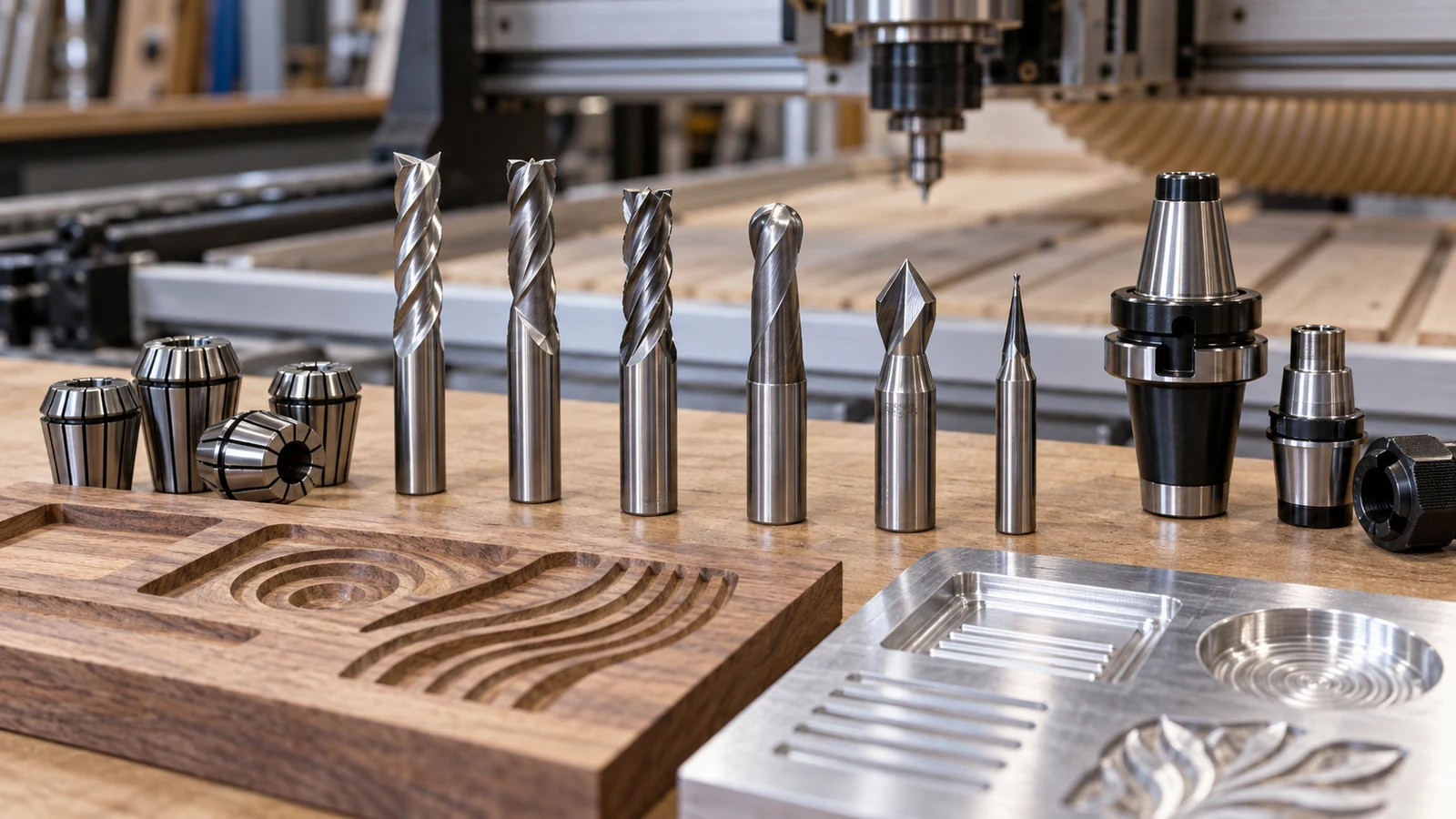
CNC router chatter usually comes from a bit that sticks out too far, a dirty or worn collet, a workpiece that can move, or a bit that does not suit the material. Fix them in that order. Shorten the stick-out, clean and inspect the collet and nut, clamp the work so nothing can flex, then try a different bit, and only then spend time on feeds, speeds and tramming.
What chatter looks and sounds like
Chatter shows up as a regular wavy pattern on the wall of the cut, a loud rhythmic howl, or a bit that gets hot or dull quickly. It is a vibration between the tool and the work. Because the cause is a loop between cutter, machine and part, small changes can have large effects. Always power down and let the spindle stop before touching the bit, collet or clamps; Carbide 3D's safety page lists the basic precautions.
Chatter is not the only cause of a rough cut, so rule out look-alikes. A cut that is rough in one direction only may point to tool deflection or a dull bit. A cut that wanders in a pattern may be a mechanical looseness. Chatter marks tend to repeat at a steady spacing, and the sound changes when you change spindle speed. Take a photo of the wall, so you can compare after each change.
Step one: reduce stick-out
Stick-out is the length of bit that extends from the collet. A longer bit flexes more under cutting force, so it is the first thing to shorten. Set the bit as deep in the collet as the maker allows, keeping the flutes clear of the nut, and choose a shorter bit when the cut depth allows. Do not push a tool all the way to the bottom of a collet unless the manual says so. Keep stick-out only as long as the deepest cut needs.
Step two: collet, nut and spindle taper
The collet is the tool's grip. A worn, dirty or wrong-size collet lets the bit wobble, which looks like chatter and wears the bit fast. Carbide 3D's collet guide says the collet size must match the spindle's ER size, that a tool should never go in the collet before the collet is in the nut, and that the taper and collet should be wiped periodically. Follow that routine: clean the nut, collet and spindle taper, look for scratches or burrs, and replace parts with visible damage. Our ER collet guide explains how to buy the right size.
Tighten the nut to the maker's guidance, not by feel. An under-tightened collet slips, and an over-tightened one can distort or damage threads. Check the bit shank too; a scratched or undersized shank grips poorly.
Match collet series and bore to your spindle and your bit shank size. A mismatched collet is a common hidden cause of runout.
Step three: workholding and the spoilboard
Thin or small parts act like drumheads. If any part of the workpiece can flex or lift, it will ring when the bit hits it. Clamp close to the cut, support the underside, and use workholding that matches the part. A flexible or uneven spoilboard also lets the stock move. Our workholding guide shows the options, and the spoilboard materials guide covers the surface beneath.
Tabs, double-sided tape and vacuum or other holding methods each have limits, and which one suits depends on the part, so check the maker of your holding device for its limits. A part that is held in several places is stiffer than one held at a single point. After clamping, push on the part by hand with the machine off; if it moves, the cut will find that movement.
Look at the machine, too. Loose bolts, a table that rocks, or a stand that flexes can all feed vibration into the cut. If the machine itself moves, check its stand and fasteners.
Step four: change the bit
If the setup is tight and chatter remains, the bit may be wrong for the job. Sharpness matters: a dull bit rubs rather than cuts, and a coating or geometry meant for a different material can cause trouble. Flute count and geometry change how well a bit clears chips and how it finishes. Match the bit's stated material and flute design to your stock, using the maker's description, and replace bits that show wear. Our single flute guide covers one common case.
Step five: adjust feeds, speeds and depth
Only after the mechanical steps should you tune. Chatter can respond to a small change in spindle speed or feed rate, because it changes the rhythm of each tooth's contact. If you are on the edge, shallower passes with a wider step-over can behave differently than a deep slot. Follow the bit maker's recommendations and use the calculators page as a starting point, then adjust in small steps. If the problem began after you changed feeds, go back to a known good setting.
Step six: tram and inspect the spindle
A spindle that is out of square leaves ridges and puts uneven load on the bit. Our guide to tramming a spindle shows how to check it. If the bit still runs out when the collet and bit are known good, the spindle bearings may be at fault; that is a repair for the maker or a qualified technician, not something to improvise.
A buying-order checklist
| Fix | What to buy or do | Cost level |
|---|---|---|
| Shorter stick-out | Shorter bit or deeper seating | Low |
| Collet and nut | New collet, clean nut, check taper | Low |
| Workholding | Clamps, tabs, support under the part | Low to medium |
| Bit choice | Sharp bit suited to the material | Low to medium |
| Machine rigidity | Fasteners, stand, leveling | Medium |
| Spindle | Maker service or replacement | High |
To check for runout, a dial indicator on the shank of a clean, tightened bit, turned by hand with the power off, shows wobble. Our measuring tools guide covers indicators. Runout that appears with every bit points to the collet, nut or spindle, while runout with one bit points to that bit.
If the chatter returns after a machine drift or position error, see our guide to lost steps, which covers a different set of causes.
Frequently asked questions
What is the most common cause of CNC router chatter?
Excess stick-out, a worn or dirty collet, and loose workholding are the usual suspects. Check them before you spend money on a new spindle.
Can the wrong collet cause chatter?
Yes. A collet that is the wrong size, worn or dirty lets the bit wobble. Carbide 3D says the collet must match the spindle's ER size and the taper should be wiped periodically.
Should I change speed or feed first?
Fix the mechanical causes first. Then change speed or feed in small steps from the bit maker's starting point.
When is the problem the spindle?
When the collet, nut and bit are clean and known good and the bit still runs out or the spindle is noisy. Ask the maker or a qualified technician.
Collet matching, assembly order and cleaning advice come from Carbide 3D's ER collet page, and general safety precautions from its machine safety page. Torque values, speeds and feeds, and maximum stick-out are specific to each machine and bit; use the maker's documents. No numbers are given here because we could not verify any.