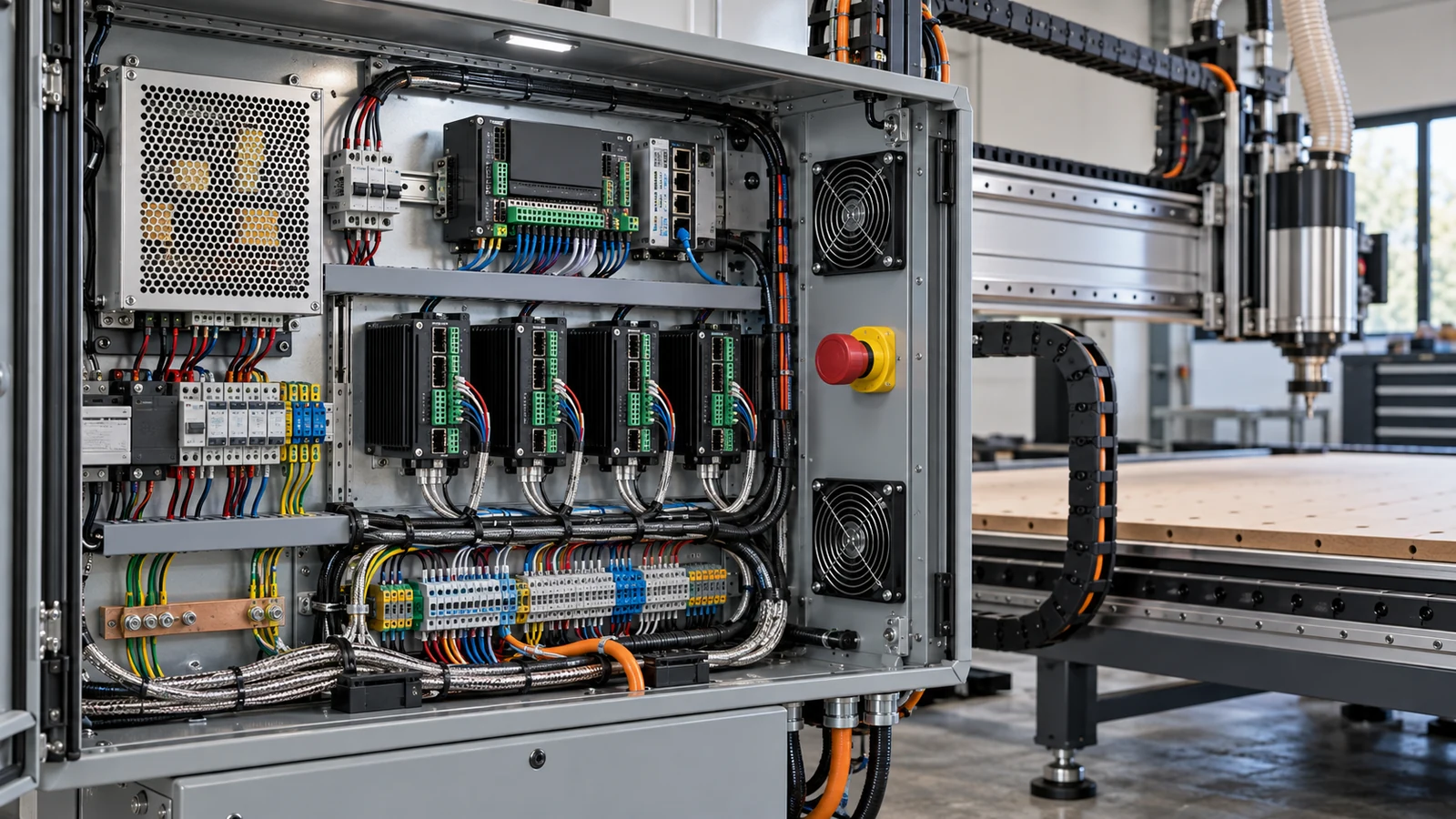
A UPS is worth it for the computer and, in some setups, the small controller power supply, because it gives you minutes to stop a job cleanly and save files. It does not resume a cut after an outage, and it is usually the wrong choice for a spindle, vacuum or heater. Size it by the combined watts of what you connect, using the maker's rating.
What a UPS actually does
Vertiv describes a UPS as a rechargeable battery that backs up the main power feed and keeps power flowing during an outage. It names three common designs. Standby units pass utility power through until they detect a problem and then switch to battery. Line-interactive units add a regulator that brings input voltage to normal levels. Double-conversion units convert incoming AC to DC and back, which isolates the load from raw utility power.
What happens to a CNC job in an outage
A UPS does not rewind a job. The Grbl wiki, for example, says a reset in motion triggers an alarm because position may be lost, and that G92 offsets, tool length offsets and probe data are not kept across a reset or power cycle. G54 to G59 work offsets are stored and do persist. Other controllers behave differently, so check yours.
The practical value of a UPS is control. With the computer and controller still powered, you can pause the job. On Grbl, feed hold decelerates motion but does not disable the spindle or coolant, so you still need to stop those deliberately. If the controller loses power anyway, a surviving computer can only protect your files. See our GRBL controller board guide for how these boards are powered.
What to plug in
| Device | On the UPS? | Reason |
|---|---|---|
| Control computer and monitor | Usually yes | Protects files and lets you issue a stop |
| Controller logic supply | Maybe | Check its wattage and the UPS maker's guidance |
| Stepper or servo power supply | Check carefully | Large load; your aim is a safe stop, not continued cutting |
| Spindle, VFD or router | Generally no | High load; motor loads may not like the waveform |
| Shop vacuum or dust collector | No | Motor load, high draw |
| Space heater | No | High draw exceeds battery limits |
| Laser printer | No | APC advises against it |
Remember that a USB link needs both ends alive. If the computer stays up and the controller board loses power, nothing is left to talk to. If the controller stays up and the computer does not, the board may keep its last state without anyone watching it. Decide in advance which pieces must stay powered together, and write that down next to the machine.
APC's FAQ says to put only critical equipment on the battery backup outlets and everything else on surge-only outlets, which do not supply power in an outage. It also says the total wattage on the battery outlets must stay within the unit's rating, that battery-backing a laser printer is never recommended, and that motor-type loads may not tolerate the stepped approximation of a sine wave that Back-UPS units output on battery, so you may need a pure sine wave model. Treat that as a pattern to check for your brand, not a universal rule.
Compare rated watts, outlet types, waveform and runtime information on the maker's page.
A realistic outage routine
- When the lights go out, keep your hands out of the work area and trigger a feed hold or stop from the computer if the controller still has power.
- Stop the spindle and any coolant or air deliberately.
- Retract the tool only if your controller state is reliable and the path is clear.
- Save your files and shut the computer down in the normal way.
- When power returns, re-home and re-establish your work position before restarting. Do not assume the position survived.
Practice this routine once with a dry run so it is not new on the day it counts.
Sizing in plain steps
- List every device you plan to connect.
- Find watts on each label or spec sheet. A plug-in power meter can measure real draw.
- Add them up and compare the total to the UPS's rated watts, not just its VA number.
- Leave headroom; do not run a UPS at the edge of its rating.
- Check the maker's runtime chart or calculator. Plan for minutes to stop safely, not hours.
We give no wattage numbers here because they depend on your exact computer, monitor and controller.
When a UPS adds little
- If you only run short, cheap jobs that you can simply restart.
- If the spindle, motors and vacuum would lose power anyway and the computer is a laptop with a healthy battery.
- If your power is stable and you save files often. A plain surge-protected strip is a different product, but it addresses surges rather than outages.
A laptop with a healthy battery already rides through short interruptions on its own, so for a laptop-only setup the main question is the controller and monitor. A desktop computer has no such reserve.
If outages are common, the controller question matters more; our emergency stop guide explains why a safe stop beats a restart.
Safety and servicing
Check the UPS manual and the machine manual before servicing anything connected to a UPS, since battery output can keep outlets energized after you unplug from the wall. Any wiring changes belong with a qualified electrician. Our shop electrical planning page covers planning, and stepper drivers explain what the motors draw.
Back up your files too
A UPS protects against power loss, not against bad files. Keep copies of CAM files and machine settings; see our backup strategy page. For winter outages and shop heaters, read our cold garage checklist.
Frequently asked questions
Do I need a UPS for a CNC machine?
Not required, but one on the control computer helps protect files and lets you stop a job deliberately during an outage.
Will a UPS let my CNC finish the job in a power cut?
Generally no. A small UPS gives minutes, and spindles, motors and vacuums use far more power than the unit is meant to support.
Should I plug the spindle into a UPS?
Usually not. Spindles and VFDs are motor loads with high draw, and some UPS units are not suited to them. Check the maker's guidance.
How do I size a UPS for my computer?
Add the watts of each device, compare the total with the UPS's rated watts, leave headroom and check the maker's runtime chart.
Is a surge protector the same as a UPS?
No. A surge-only outlet does not supply power in an outage. A UPS has a battery that does.
Battery backup behavior comes from the Vertiv and APC pages; controller behavior comes from the Grbl wiki. No wattage, VA or runtime figures are stated because they depend on your equipment. Check your UPS manual and your controller's documentation for what your hardware retains after a power loss.