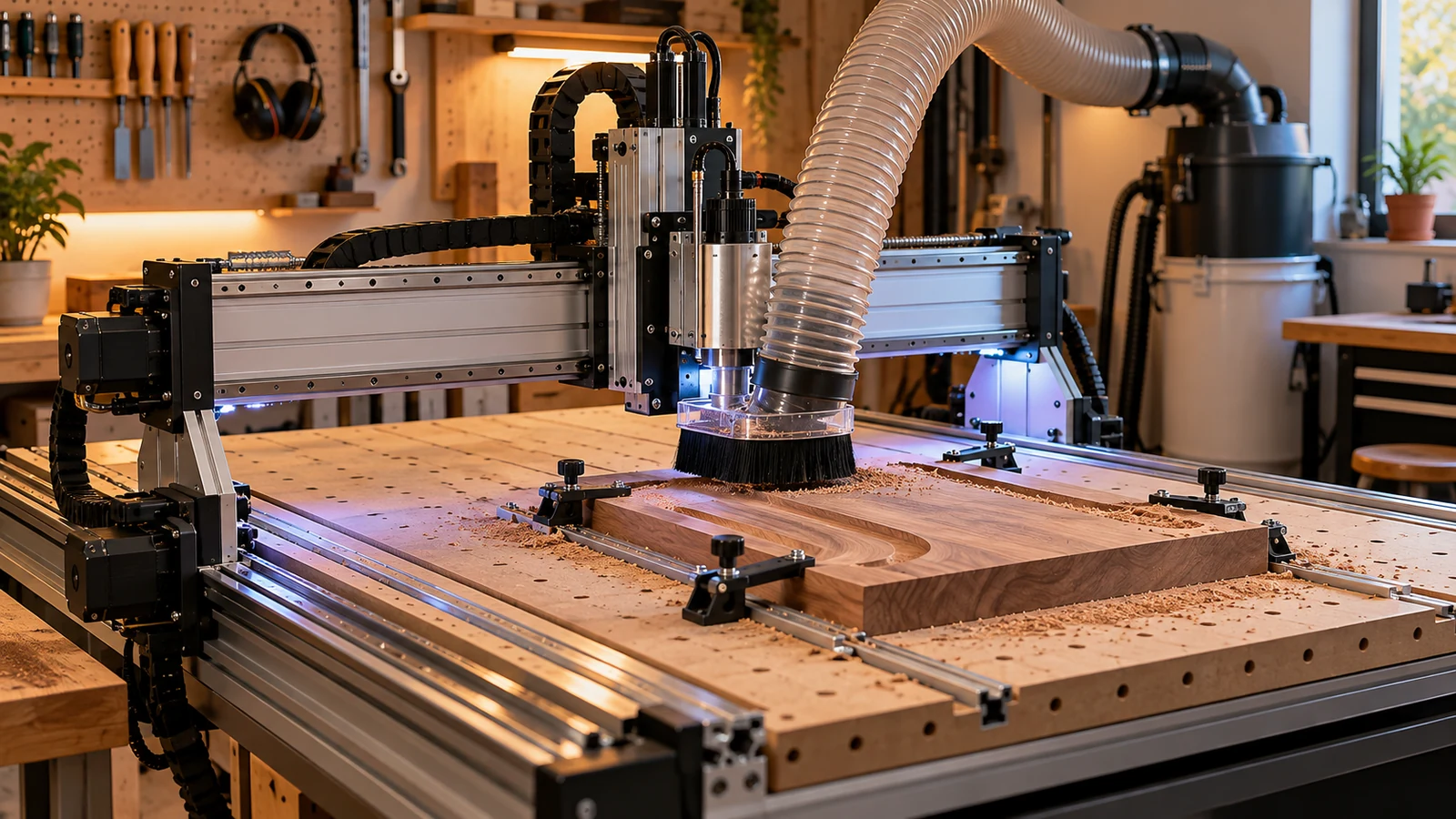
The best LED lighting for a CNC work area is bright, evenly spread, glare-free and mounted where chips and moving parts cannot reach it. Two or more lights from different sides beat one bright lamp, because they fill the shadows the spindle casts. For an enclosure, choose sealed fittings, a separate low-voltage supply and mounts that do not block the door, the vacuum hose or the emergency stop.
What you are lighting
You need to see three things: the cut line, the chips and dust coming off it, and the bit itself. The spindle and dust shoe cast shadows over all three, and an enclosure window can add reflections. Lighting that works for general shop use may not do that job, so think of the cut zone as its own task area.
Where to put lights
- Overhead, wide and diffuse. Gives even light across the table and reduces hard shadows.
- Low and to the side. A strip or bar along the side of the table lights the cut from an angle, which shows surface texture and tool marks.
- Inside the enclosure. A light inside lets you watch through a window without a lamp glaring off it. Check our enclosure guide for what an enclosure does to airflow and access.
- On a flexible arm. A movable lamp helps when you need to inspect an edge or a hole, but keep it clear of the gantry's path.
Mounts matter more than the light. A lamp that sits in the path of a moving gantry, hose or cable is a crash waiting to happen, and nothing should block your reach to the stop control (see our emergency stop guide). Test the full range of travel with the machine off and then slowly under power before trusting the mount.
Glare, reflections and shadows
Bare LEDs are bright points that cause glare off shiny metal, acrylic and polished enclosure windows. Choose diffused strips or panels with a frosted cover and aim lights so reflections do not hit your eyes. If your machine has a clear window, a light mounted behind or beside it usually reflects less than one in front. Shadows from the spindle can be reduced by lighting from two sides. Avoid placing a bright light at the viewer's eye level.
Color and brightness
- Color rendering. Many LED listings state a color rendering value. Higher is generally closer to daylight, which helps when you judge wood grain, finish quality or the color of a coating.
- Color temperature. Neutral to cool light tends to show detail on metal and plastics, while warmer light is easier on the eyes for long sessions. Many fixtures let you switch.
- Brightness. Compare brightness using the maker's stated output, and prefer a dimmable light so you can adjust for glare. Specifications differ between makers, so compare the same measure.
Spinning tools and flicker
Some LEDs flicker, especially when dimmed using rapid switching. Under flickering light, a spinning bit can appear slower, stopped or even running backwards. That is a safety issue: never judge by sight whether the spindle has stopped. Wait for the spindle to stop completely, confirm with the controller, and keep hands out of the cut zone until it does. Carbide 3D's safety page lists hands out while running and no unattended operation among its basic rules. If you notice a shimmering look in the light, pick a different fixture or a flicker-free model.
Look for diffused or covered strips, a separate low-voltage supply and mounting that stays clear of the gantry.
Power and wiring
Do not tap the machine's own power supply for accessories unless the manual says that is allowed. A separate supply with the correct rating keeps lights from interfering with the controller. Use a supply and cable that suit the load, keep low-voltage wiring tidy and away from motors and moving parts, and put switching in an accessible place. If the wiring goes beyond plug-in parts, ask a qualified electrician. For mains-powered lights, use a grounded plug and follow the label. See our electrical safety page for the principles.
Low-voltage strips and bars run from their own adapter, and the label gives the voltage and polarity they expect. Match the adapter to the label and leave margin, since a supply that runs at its limit gets hot. Plug-in lights with their own cord are the simplest choice for many shops. If you are unsure about any wiring, a qualified electrician can check it in a few minutes.
Dust, heat and enclosures
Dust settles on lamps and traps heat. Choose fixtures with a sealed cover or a stated ingress protection rating, and wipe them when you clean the machine. In an enclosure, check that the light's heat does not warm the enclosure noticeably and that cables do not cross the dust path or block the door. Fine wood and metal dust is a combustible-dust concern per OSHA, so keep fixtures free of buildup and see our fire safety guide.
Magnetic mounts and clamps
Magnetic bases are handy on steel frames but check that they do not grip the machine's moving parts or interfere with sensors or a pendant. A magnet near a probe or a switch may affect it; if in doubt, read the manual. Clamp-on arms need a flat, stable edge. Always route cables through clips so they cannot snag.
A camera is a useful companion to lighting, especially in a closed enclosure. Even a simple camera aimed at the cut gives a second view, but it needs light too, and it does not replace watching the machine. Do not use a camera view to decide it is safe to open the door; wait for the machine to stop.
Quick checklist
- Light the cut from at least two directions.
- Diffuse the light and aim away from windows and shiny parts.
- Choose flicker-free or high-frequency drivers.
- Use a separate low-voltage supply, not the controller's.
- Seal against dust; mount clear of travel, hose and the stop.
If you light a tight enclosure, remember that cameras and accessories also need space; our first accessories guide covers the rest of the shopping list.
Frequently asked questions
How bright should CNC work lighting be?
Bright enough to see the cut and chips without glare. Compare the maker's stated output and choose a dimmable light so you can adjust.
Can LED lights make a spinning bit look stopped?
Yes. Flicker can make a spinning tool look slow or still. Wait for the spindle to stop completely and confirm with the controller before reaching in.
Can I power LED lights from the CNC's power supply?
Only if the manual says so. A separate supply of the correct rating is safer for the controller.
Where should I mount lights on a CNC?
On a stable surface clear of the gantry, hose and emergency stop, ideally from two sides. Test the full range of travel before you trust the mount.
Spindle-safety rules come from Carbide 3D's machine safety page, and combustible dust from OSHA. Flicker is described qualitatively; we did not measure any light. Lighting power, mounting and compatibility with your enclosure and controller come from the maker's manual, and wiring beyond plug-in parts belongs with a qualified electrician.