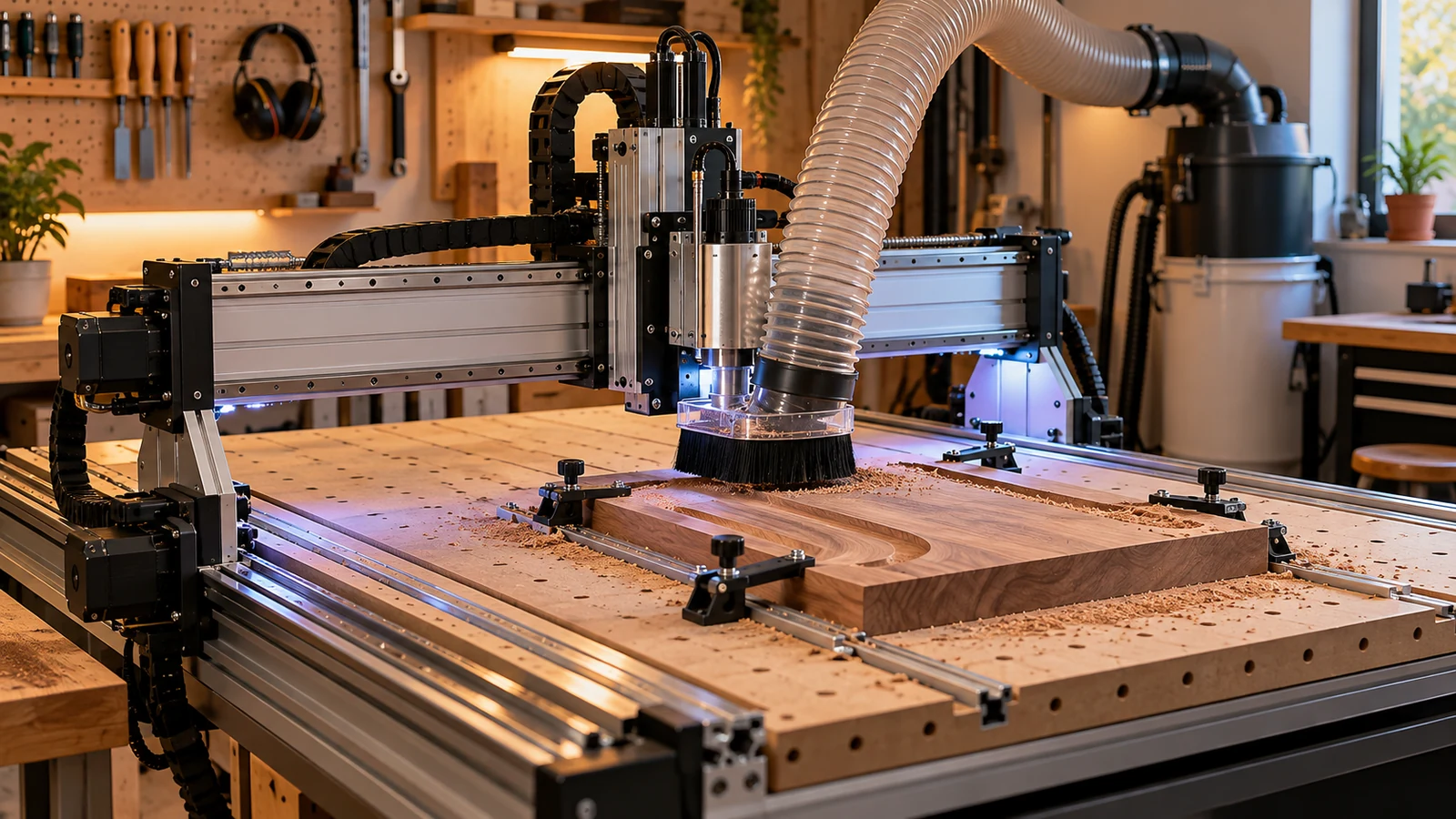
The spares worth keeping for a desktop CNC are the cheap, wear-prone parts that you cannot buy locally the same day: a collet and nut that match your spindle, drive belts or the equivalent for your machine, couplers and set screws, the exact fuse type your manual specifies, a homing or limit switch, and a spare USB cable. Add parts in the order of how much downtime each one would cause, and write the part numbers from your own manual on the box.
How to decide what goes on the shelf
Ask two questions about each part: if it fails, does the machine stop, and how long would a replacement take to arrive? A part that fails often, costs little and takes weeks to ship earns a spot. A part that rarely fails and is easy to get locally does not. Your machine's manual and parts list tell you which components are wear items, and the maker's support page often lists consumables.
Start by writing down your machine's model, the spindle or router type, the control board and the drive style. That note decides almost everything else, and it saves guessing when you order.
Cutting parts
- Spare collet and nut. The collet must match the spindle's ER size, according to Carbide 3D's collet page, and a tool should never go in the collet before the collet is in the nut. A damaged collet or nut can cause runout and chatter (see our chatter guide), so keep one set of each size you use. Our ER collet guide helps with sizes.
- Wrenches. Keep a spare nut wrench so you are not stuck if one is lost.
- A few bits. Keep a spare of whatever bit you use most for sizing and cutting, so a break does not stop a job.
Motion parts
These parts matter most when the machine misses positions, as covered in our lost steps guide.
- Belts or equivalent drive parts. If your machine uses belts, keep one for each axis type with the profile and width in the manual. If it uses screws or racks, ask the maker which pieces wear.
- Couplers and set screws. Couplers slip or crack, and set screws vibrate loose. A small assortment of the correct sizes costs little.
- Wheels, bearings or bushings, if your machine rolls on them. Check the manual for the type and for adjustment instructions before you swap.
- Lubricant. Carbide 3D's maintenance page says to keep rails and ballscrews clean and wipe rails with oil periodically. Keep the lubricant the manual names, plus lint-free towels.
Order parts that match your manual's profile, bore and thread. If the listing does not state those, it is not a match.
Electrical parts
Electrical spares are where the manual matters most. Power off and unplug before touching anything; mains and drive wiring belong with a qualified technician if you are not sure.
- Fuses. If your machine has replaceable fuses, keep two of the exact type and rating the manual states. Never use a larger fuse than specified, and if a replacement blows too, stop and find the cause.
- Homing or limit switches. They live in dusty places and take knocks. A spare saves a weekend, and a checked connector often does the same.
- Cables. A spare USB cable of the right type, a spare power cord for the machine's power supply, and a spare cable for any probe or pendant. Carbide 3D's documentation notes its power supply uses a standard detachable cord, a pattern common on many supplies.
- Probe or touch plate batteries and contacts, if you use them.
Cleanup and consumables
These are not spares in the strict sense, but running out of them stops work. Keep a spare vacuum filter or bag, a spare dust shoe brush strip if your shoe uses one, double-sided tape or other workholding consumables, and spoilboard fasteners. Our spoilboard materials guide and dust shoe guide cover the options.
A starter kit by priority
| Priority | Part | Why |
|---|---|---|
| 1 | Collet, nut and wrench | Fail or wear often, and runout is easy to miss |
| 1 | Fuses of the exact type | Cheap, and the machine is dead without them |
| 2 | Belts or wear items for your drive | Wear over time and drift when worn |
| 2 | Couplers and set screws | Vibration loosens them |
| 3 | Homing and limit switches | Exposed to chips and knocks |
| 3 | Cables | Flex and snag |
| 4 | Lubricant, towels, filters | Used up by regular care |
Store them so you can find them
A labeled parts bin or a small case beats a drawer of loose bags. Write the machine model and the part description on each bag, and keep the manual page or a photo of the part list in the box. A small drawer unit on the bench works well. Check the kit twice a year, replacing anything that has aged, such as lubricants and rubber parts.
When in doubt about a part, ask the machine maker for the exact part name before you order. A generic part can look identical and still differ in thread, bore or profile. Keep a copy of the manual's parts page where you can reach it offline, in case the maker's website changes or the machine is a discontinued model.
What not to stock
- Controller boards and drivers, unless you modify the machine often. Ask the maker first.
- Spindles and motors. They are expensive and model-specific.
- Generic kits that do not list sizes, profiles or ratings.
When a part does fail, write down what failed and when. A short log shows which spares to restock. Our first accessories guide covers items to own before you need them.
Frequently asked questions
What spare parts should every desktop CNC owner keep?
A spare collet and nut, the exact fuse type your manual specifies, couplers and set screws, drive belts or the equivalent for your machine, and a spare USB cable cover most common stoppages.
Can I use a bigger fuse if I can only find one?
No. Use the type and rating the manual states. A larger fuse may not protect the circuit, and a fuse that keeps blowing means something needs checking.
How do I know which belt or coupler to order?
Use the profile, width, length and bore listed in your manual or parts list. If a listing does not state them, ask the seller or the machine maker.
Do I need a spare spindle?
Usually not. Spindles are expensive and model-specific, so ask the maker about service options instead of stocking one.
Collet and maintenance points come from Carbide 3D's ER collet and maintenance pages. Fuse ratings, belt profiles, coupler sizes and switch types are machine-specific, and we did not state any of them; use your manual and parts list. Electrical work follows the manual and a qualified technician.